See the Builder in Action
Intuitive Interface
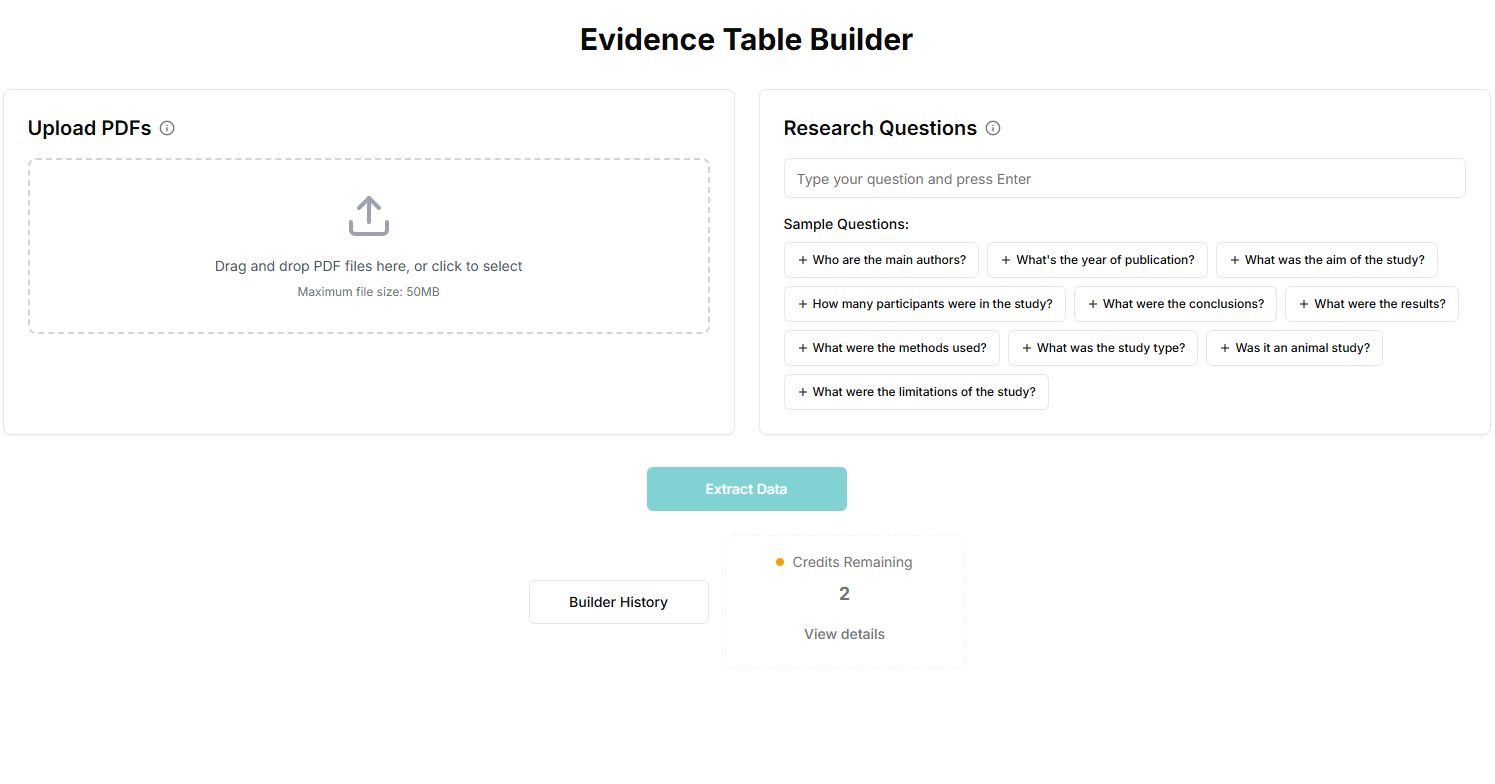
Evidence Table Builder Workflow
1. Upload PDFs for evidence extraction
Upload one or more full-text research papers in PDF format and prepare them for structured evidence table extraction.
2. Add your extraction questions
Define the outcomes, variables, and extraction questions you want answered so the AI follows your systematic review protocol.
3. Run AI-assisted data extraction
The extraction engine processes each paper and drafts structured rows with source-linked evidence to support transparent evidence synthesis.
4. Review and export to Excel
Validate extracted fields, apply reviewer edits, and export your evidence table to Excel for analysis, reporting, and team collaboration.
How the Quality Assessment Tool Works
The quality assessment workflow is designed for study quality assessment and risk of bias analysis across randomized trials, non-randomized studies, and systematic reviews. Each run creates auditable, reviewer-ready outputs linked to source evidence, including an integrated PDF viewer that scrolls to the passage behind each draft and optional exports such as a QA proof PDF.
1. Select a quality assessment tool profile
Choose RoB 2, ROBINS-I, ROBIS, Newcastle-Ottawa Scale, AMSTAR 2, an NHLBI study-quality checklist, or CORE extraction depending on study design and review type.
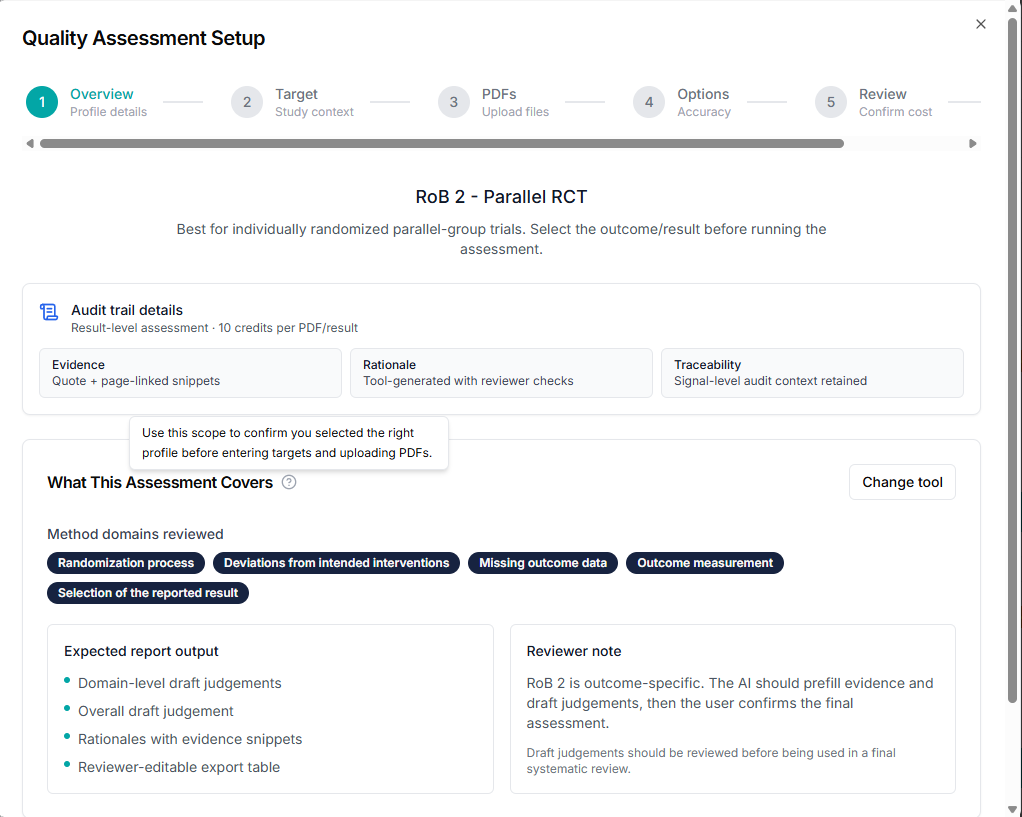
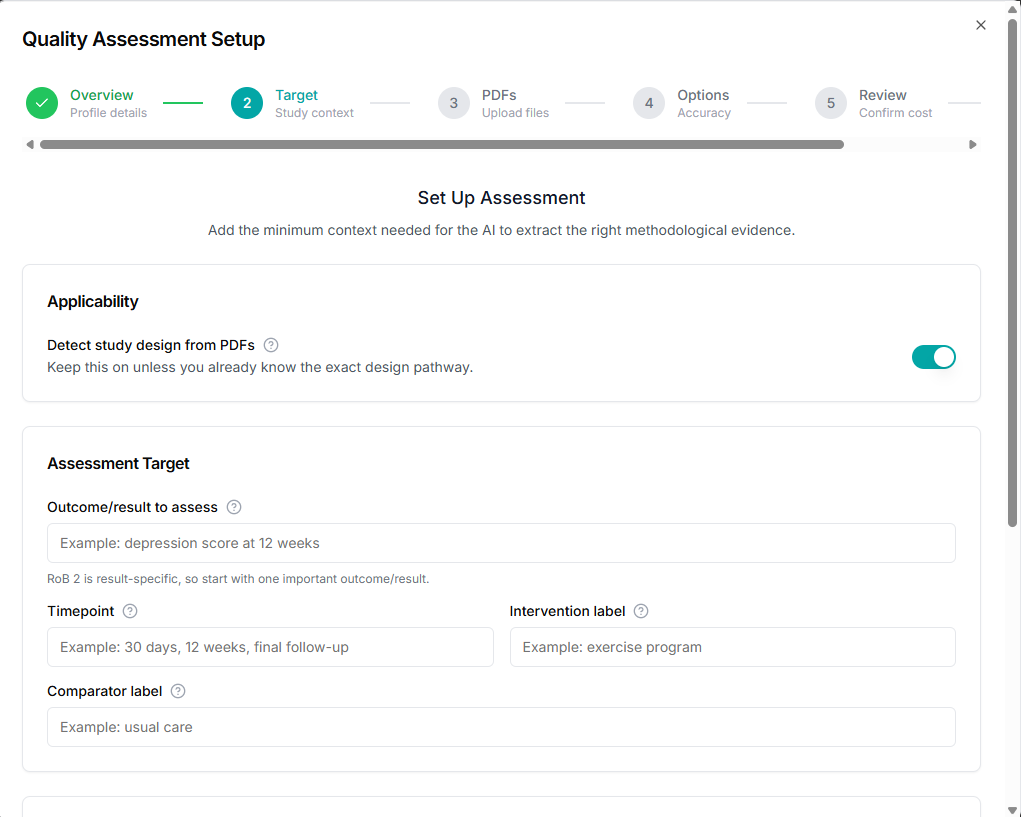
2. Define the assessment target
Enter outcome, timepoint, intervention/comparator labels, confounders, or review question so the run stays methodologically focused.
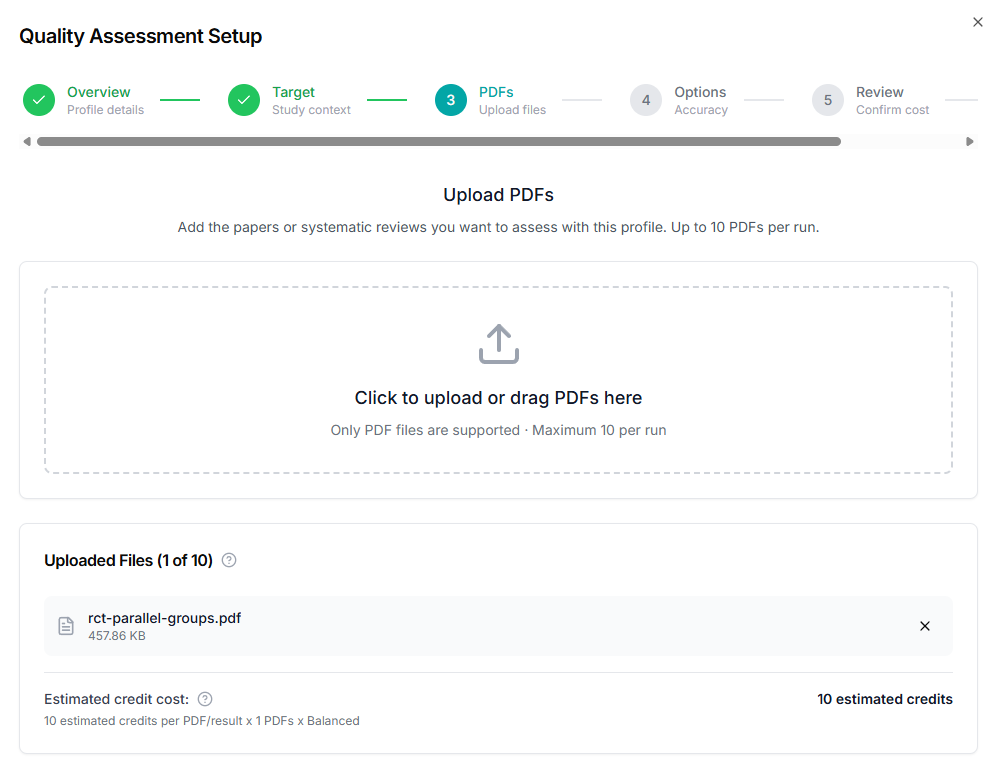
3. Upload PDFs and confirm applicability
Upload full-text PDFs, keep auto-detect study design on (or set manually), and verify each file is ready for risk of bias assessment.
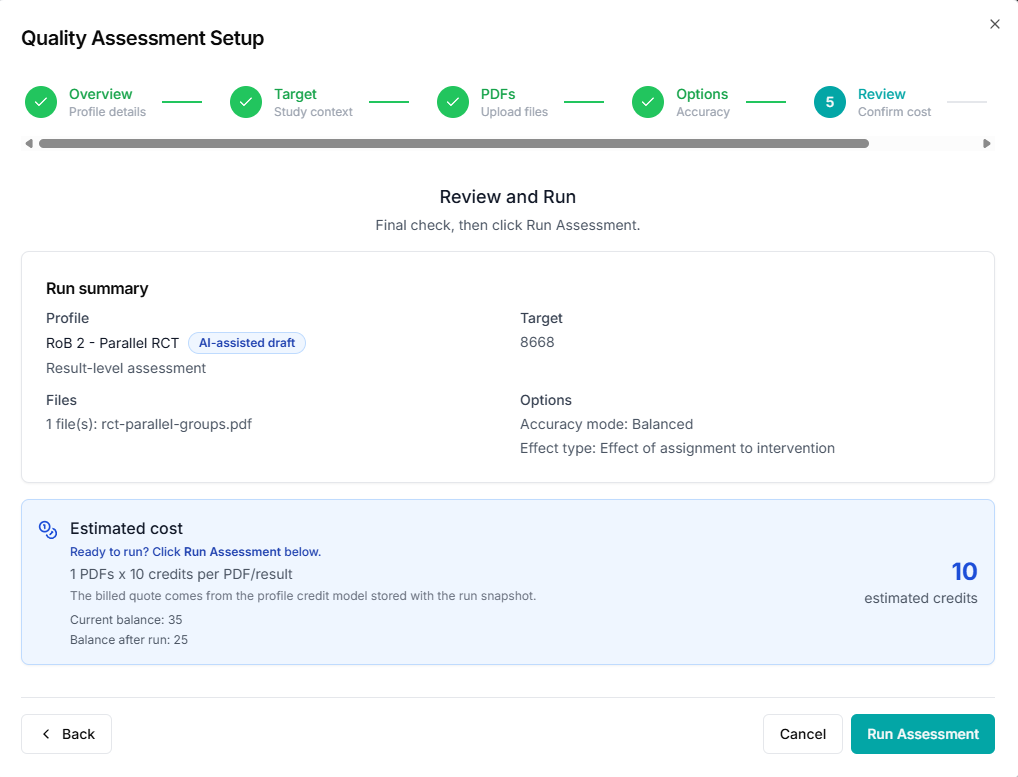
4. Choose accuracy mode and review estimated credits
Pick Balanced or High accuracy mode, review estimated credit usage, and confirm current balance before launching the run.
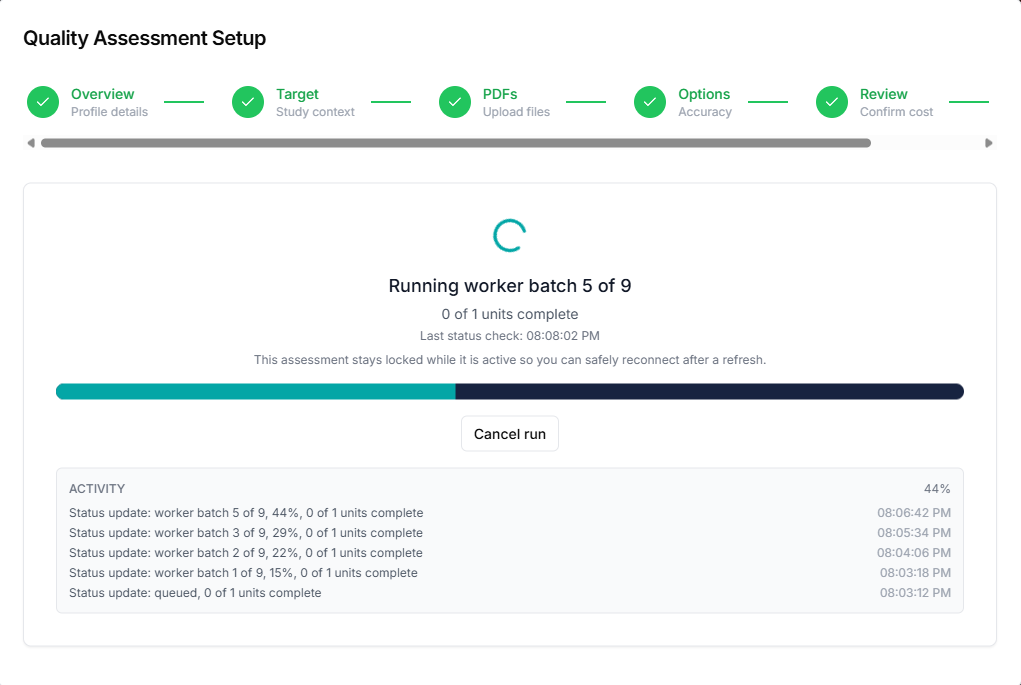
5. Run assessment and review auditable outputs
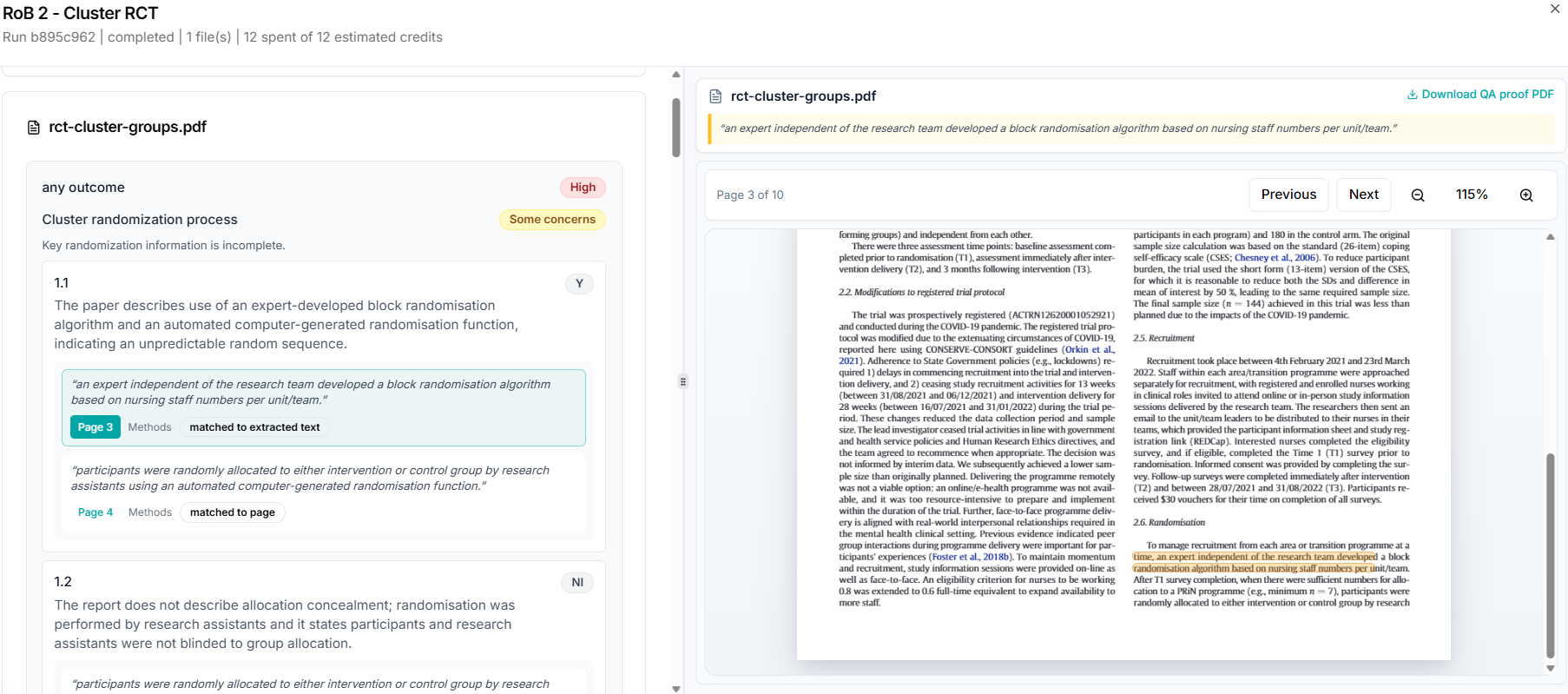
Track run progress, inspect domain-level judgments, and open page-linked evidence snippets. The built-in PDF viewer shows the verbatim quote the model used, jumps to the right page, and highlights the matching text in the document so you can verify drafts in seconds. When you need a file you can attach to a protocol appendix or send to a supervisor, use Download QA proof PDF to export the source with evidence locations marked. Apply reviewer edits and export tabular results as usual.
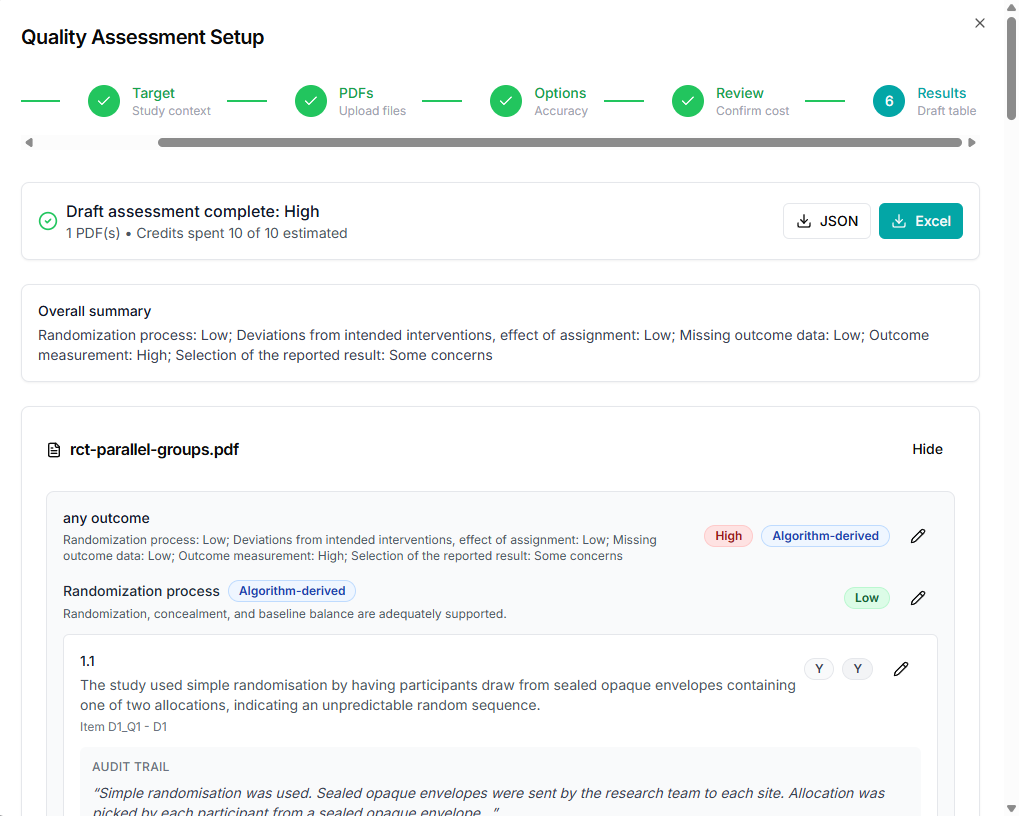
PDF viewer: verbatim quotes, on-page highlights, and QA proof export
After a run finishes, you work in a split layout: structured assessment on one side and the full-text PDF on the other. Selecting an item reveals the model's rationale together with the exact sentence or paragraph it relied on. That same wording appears in the viewer (including a quote bar at the top), and the PDF scrolls to the relevant page with the passage highlighted so you always see the same words in context.
For offline review or documentation, download the QA proof PDF to receive a copy of the source document annotated with where the AI found support for each piece of evidence, useful for audit trails, team handoffs, and supplementary materials.
Privacy and Reliability
Your workflow supports transparent AI-assisted quality assessment with reviewer oversight. Draft judgments are intended to accelerate review, not replace expert decision making in final evidence synthesis.
Session state can be resumed for active quality assessment runs, and exported outputs preserve the audit context needed for traceability.
SEO Keywords
systematic review software, quality assessment tool, risk of bias tool, RoB 2 tool, ROBINS-I tool, ROBIS tool, Newcastle Ottawa Scale, evidence table builder, AI data extraction, PDF to evidence table, study quality assessment, methodological quality assessment, audit trail systematic review